
v1.1.22|Tab context menu, background tab opening, quick collection creation
The ultimate tab manager
for heavy tab users
From simple tab grouping to unlimited nested folders. OrgaNice helps you organize and find your tabs faster. All local features are free forever.
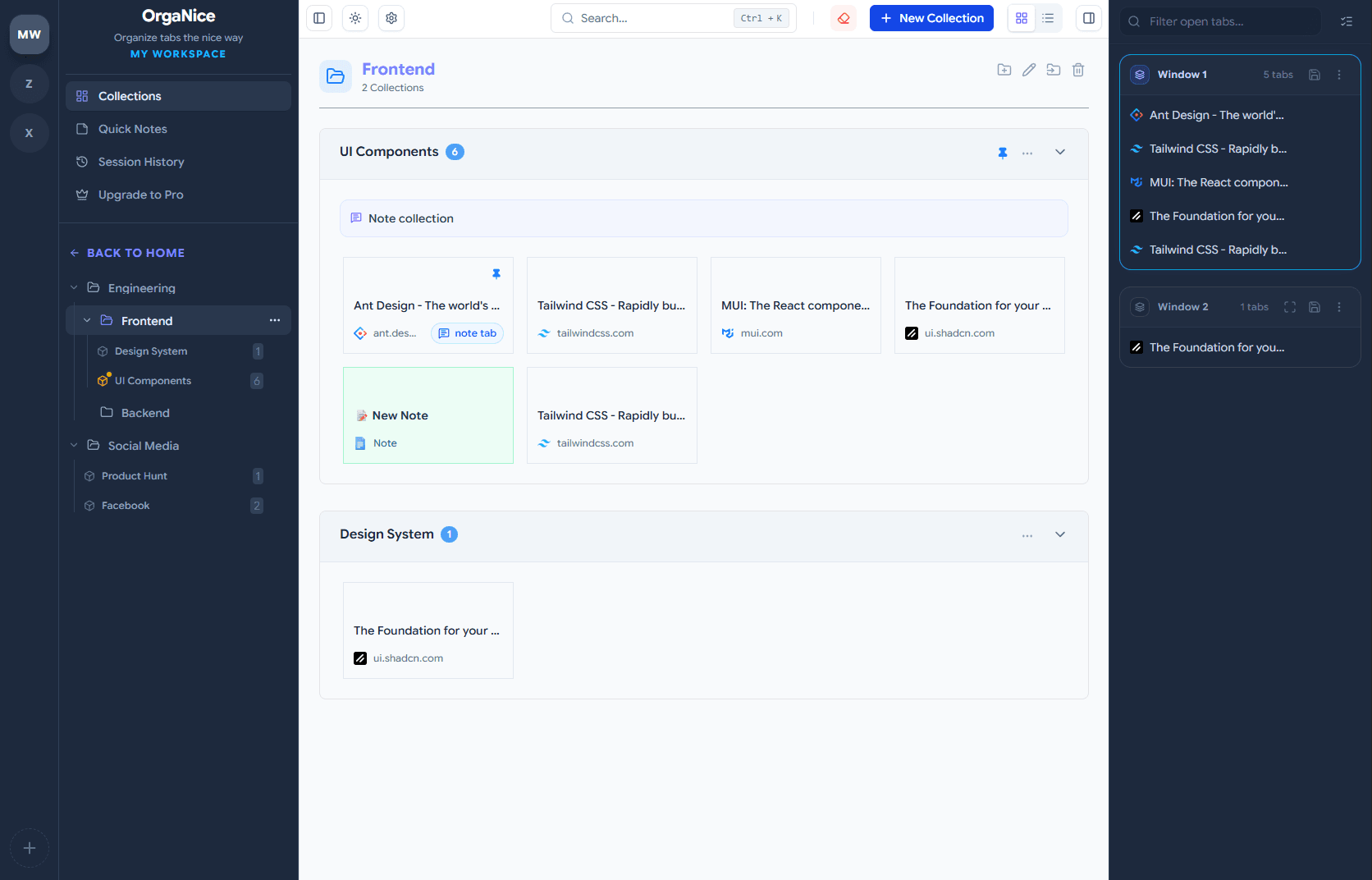
Free Core Features
Everything strictly local is Free
We believe organization shouldn't be paywalled. Create unlimited nested folders and manage tabs without limits.
Unlimited Structure
- Unlimited workspaces
- Unlimited nested folders
- Group tabs into collections
- Auto-close after saving
- Full data export (JSON)
Powerful Access
- Save all tabs in one click
- Remove duplicates
- Drag & drop anywhere
- Open full sessions instantly
- Add tabs from toolbar
- Vertical tab side panel
- Workspace & tab context menus
- Tab Rules
- Snooze tabs
Smart Utilities
- Dark Mode Theme
- Tab hibernation
- Quick notes dashboard
- Notes for tabs & collections
- Global search
- Flexible new tab mode
- Import from Toby / HTML
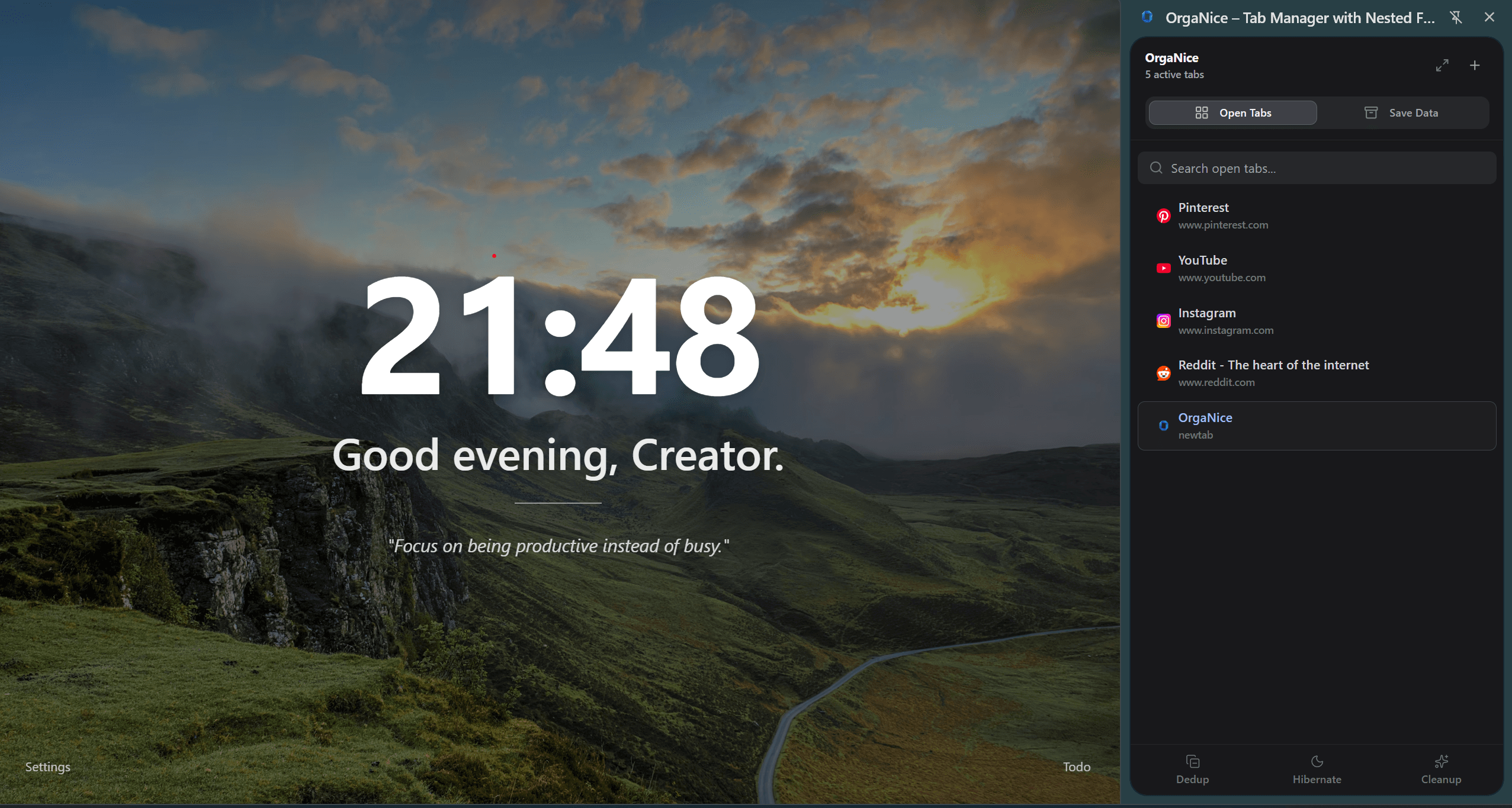
Use OrgaNice with any
New Tab extension.
You don’t need to remove your favorite New Tab extension. OrgaNice doesn’t require overriding your New Tab page.
Simply disable the New Tab override in settings and manage everything from the Side Panel. OrgaNice works alongside other extensions smoothly — no conflicts, no forced replacement.
Upgrade for Cloud & Power
Unlock cross-device sync, data recovery, and unlimited automation to streamline your entire workflow.
Unlimited folders. Always in sync.
Organize your tabs with unlimited Nested Folders, so everything stays structured the way you like.
Your tabs, collections, and notes stay synced across devices, letting you pick up where you left off anytime.
✨ New in v1.1.6: Cloud Sync is now completely optional. Turn it off anytime for a strict local-only experience.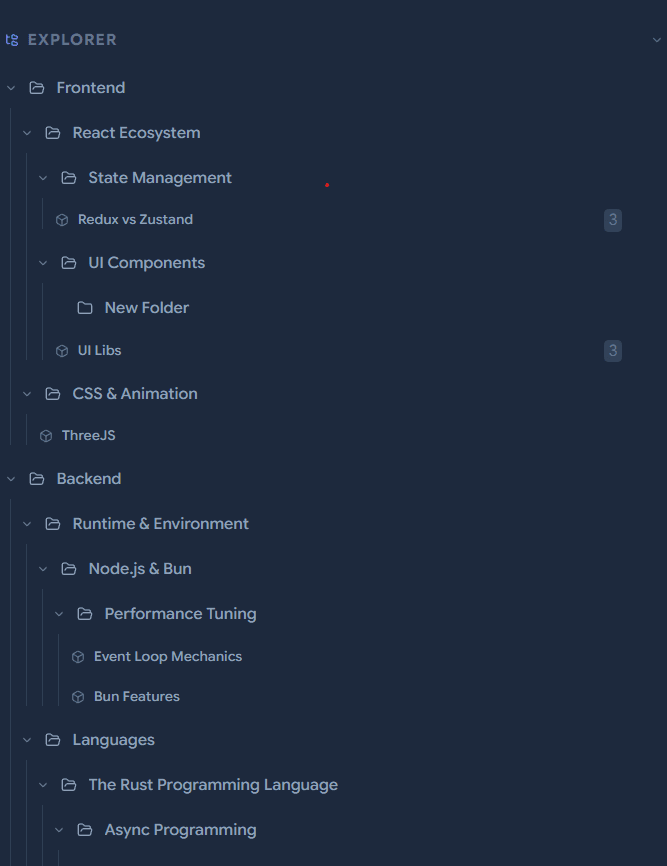
Secure Backup
We automatically backup your Workspaces to the cloud, ensuring your data survives hardware failures.
Cloud Trash Bin
Deleted something by accident? Restore deleted collections and folders from the cloud trash bin.
Unlimited Rules
Create endless automated rules to instantly sort and organize your incoming tabs without lifting a finger.
Unlimited Snooze
Snooze as many tabs and sessions as you want. Bring them back exactly when you are ready to focus.
Detailed Feature Comparison
| Feature | Free | Pro |
|---|---|---|
| Add/Edit/Delete workspaces | ||
| Add/Edit/Delete collections | ||
| Nested folders | Unlimited | Unlimited |
| Dark Mode Theme | ||
| Tab hibernation | ||
| Remove duplicate tabs | ||
| Drag & drop everywhere | ||
| Workspace & tab context menus | ||
| Import from Toby (JSON) | ||
| Import from HTML File | ||
| Import from Chrome Bookmarks | ||
| Export data JSON | ||
| Vertical tabs | ||
| Flexible new tab mode | ||
| Cloud sync (Multi-device) | ||
| Toggle cloud sync ON/OFF | ||
| Cloud trash bin (Recovery) | ||
| Tab Rules | 2 rules | Unlimited |
| Snooze tabs | 10 sessions | Unlimited |
Choose Your Plan
Start for free with no limits on local organization.
Upgrade to Sync across devices.
Starter
Full featured for single-device use. No limits.
- Unlimited Workspaces & Tabs
- Unlimited Nested Folders
- Vertical Sidebar Mode
- Hibernate Tabs & Deduplicate
- Full Data Export (JSON)
Lifetime
Pay once, own it forever
- Sync Across Devices
- Optional Sync (Toggle On/Off)
- Secure Cloud Backup
- Cloud Trash Bin
- Unlimited Tab Rules
- Unlimited Snooze Sessions
- No recurring fees
- Support Indie Development
Common Questions
Yes! All local management features (Create/Edit/Delete Workspaces, Collections, Tabs, Notes) are 100% free forever. You get up to 15 nested folders for free.
We have a dedicated 'Import from Toby' feature in the settings. It reads your Toby backup and organizes it into OrgaNice collections instantly.
Absolutely. OrgaNice is designed with a 'Local-First' architecture. Your tabs and notes live on your device. If you use Cloud Sync (Pro), your data is securely encrypted in the cloud and accessible only by you.